Infostealer Malware Password Recovery Defence
Most people find out their passwords were stolen only when someone else is already inside their accounts. Infostealer malware password recovery defence requires a specific sequence: revoke every active session before you touch a single password, or the attacker stays logged in while you reset everything below them.
That sequence is the answer. The rest of this guide explains why, and what to do next.
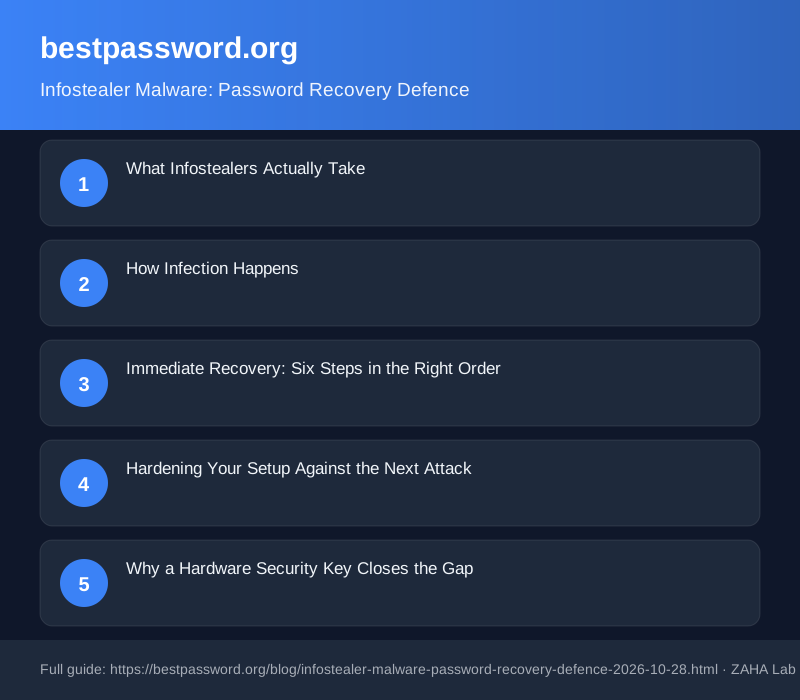
What Infostealers Actually Take
Infostealers are a narrow category of malware with one purpose. Within minutes of infection, they read the browser's local credential store, copy active session cookies, harvest saved form data, and in more sophisticated builds target the vault file of any installed password manager.
Chrome, Firefox, and Edge all store saved passwords in a local SQLite file. No admin rights are needed to read it. Any process running as your user account can open that file, and that is exactly what an infostealer does.
The session cookie theft is the more dangerous part. When you log into a service, the server issues a cookie as proof of authentication. Steal that cookie and an attacker does not need your password. They paste it into their browser; the server treats them as you. Changing your password after the fact does nothing to invalidate a stolen session.
These tools are sold commercially on criminal marketplaces. Redline Stealer, Lumma Stealer, and Raccoon are three names that appear repeatedly in security researcher reports and law enforcement disclosures. A buyer pays a monthly subscription, receives a dashboard of stolen credential logs, and picks through them at leisure.
How Infection Happens
Four delivery routes account for most cases: a malicious advert serving a fake software installer, a phishing email with a macro-laden attachment, a cracked application from an unofficial source, and a trojanised browser extension. The theft itself takes a few seconds. The data is packaged and sent before most endpoint tools update their signatures.
Immediate Recovery: Six Steps in the Right Order
- Isolate the infected device. Disconnect from Wi-Fi and unplug any ethernet cable immediately. Do not use it to log into anything else until it has been scanned and cleaned.
- Revoke all active sessions from a clean device. Google, Microsoft, Apple, and most banks include a "sign out everywhere" or "active sessions" page in their security settings. Do this step before anything else.
- Change passwords in priority order. Email accounts come first, because password-reset links go to your inbox. Bank and payment accounts come second. Everything else follows by sensitivity.
- Enable or upgrade multi-factor authentication on every reset account. An authenticator app such as Google Authenticator or Authy is safer than SMS codes. SIM-swapping is a documented follow-on attack after credential theft.
- Run an offline malware scan on the infected device using Malwarebytes Free or Microsoft Defender Offline before reconnecting it to the network.
- Search Have I Been Pwned at haveibeenpwned.com with every email address you use. Stolen credential logs often feed into that database within days of a log being sold.
Hardening Your Setup Against the Next Attack
The structural problem with browser-saved passwords is that the file they live in is accessible to any process running under your user account. Moving credentials into a dedicated password manager with zero-knowledge encryption removes that target. The manager's local database is encrypted with a key derived from your master password, which is never stored on disk in a recoverable form.
Once a standalone manager is in place, disable the browser's native password saving entirely. In Chrome, go to Settings, then Autofill and passwords, then Google Password Manager, and toggle off "Offer to save passwords". Firefox and Edge have equivalent options under their respective security settings menus. An empty browser credential store is a dead end for any infostealer that reads it.
Keep your operating system and browser patched to the current release. The majority of infostealer campaigns exploit public CVEs against outdated software. A machine running fully updated Windows 11 and Chrome is a harder target than one that is two months behind on patches.
Why a Hardware Security Key Closes the Gap
A password can be copied. A TOTP code from an authenticator app can be copied. Both are data that exists on your machine, and data can be stolen. A hardware security key works differently. It uses a challenge-response protocol where the private key is generated inside the physical chip and never exported. There is nothing on your device to steal.
We earn a commission if you buy through links on this page.
The Yubico YubiKey 5 NFC is the most widely supported hardware key available in the UK. It connects via USB-A and taps over NFC for use with Android phones and iPhones. Google, Microsoft, GitHub, Dropbox, and most major services accept it. An attacker who has your password cannot authenticate without the physical key in their hand.
For accounts that support passkeys, the same hardware key can act as the passkey authenticator, replacing the password entirely rather than adding a second factor on top of it.
After Recovery: Check for Persistent Access
Some infostealers plant a persistence mechanism so the machine re-infects automatically after a restart. Before reconnecting a cleaned Windows device to the internet, check three places: Task Scheduler (search "Task Scheduler" in the Start menu), the startup folder (press Win+R and type shell:startup), and the extensions list in every browser profile. Remove anything unfamiliar.
On macOS, check Login Items under System Settings, General, and the LaunchAgents folder at ~/Library/LaunchAgents. A file added there without your knowledge is a strong indicator that a backdoor was planted.
A full reinstall from a known-good backup removes all doubt. If the device held highly sensitive credentials, that is the safer option over relying on a scan alone.
FAQ
Can an infostealer steal passwords from a password manager?
It depends on the manager and how it is configured. Browser-extension-based managers that autofill from a decrypted in-memory vault can have individual passwords captured at the moment they are inserted into a form field. Standalone managers are harder to attack because the vault file on disk stays encrypted. Pairing any manager with a hardware security key adds protection even if the master password is somehow compromised.
How do I know if my device has been hit by an infostealer?
Common signs include login notifications from locations you have never visited, accounts sending messages you did not write, and password-reset emails you did not request. Searching haveibeenpwned.com and reviewing the sign-in history in your email provider's security settings are two concrete starting points.
Does changing my password stop an infostealer attack?
Not on its own. If the attacker also stole a valid session cookie, they remain logged in regardless of your new password, because the session token was issued before the password change. Revoking all active sessions first closes that route. The password change then blocks any subsequent login attempt.
Is SMS two-factor authentication enough protection after an infostealer infection?
It offers some protection, but SMS codes are vulnerable to SIM-swapping, where an attacker persuades a mobile carrier to transfer your number to their SIM. An authenticator app is safer because the code never transits the phone network. A hardware security key is safer still, requiring physical possession of the device.
Should I wipe my device completely after an infostealer infection?
A full reinstall is the most thorough option. An offline malware scan removes known variants, but more sophisticated infostealers can embed persistence mechanisms that survive a standard scan. If the device held credentials for financial accounts or work systems, a clean reinstall from a verified backup removes the uncertainty entirely.